AVOPSIM
Request a demo FR
Platform

Software and hardware.

AVOPSIM is four software layers on one engine, running on three hardware configurations. The same software runs on every configuration, so a program can start on a laptop and move to a full cabin without changing anything but the station.

Software

Four layers on one engine.

Each layer builds on the one below it. Microsoft provides the core; AVOPSIM provides the three above.

  1. 01CoreMicrosoft Flight Simulator 2024
  2. 02SceneryThe airport digital twin
  3. 03VehiclesYour fleet, modeled per unit
  4. 04Mission moduleMissions, Mission Editor and Examiner Console
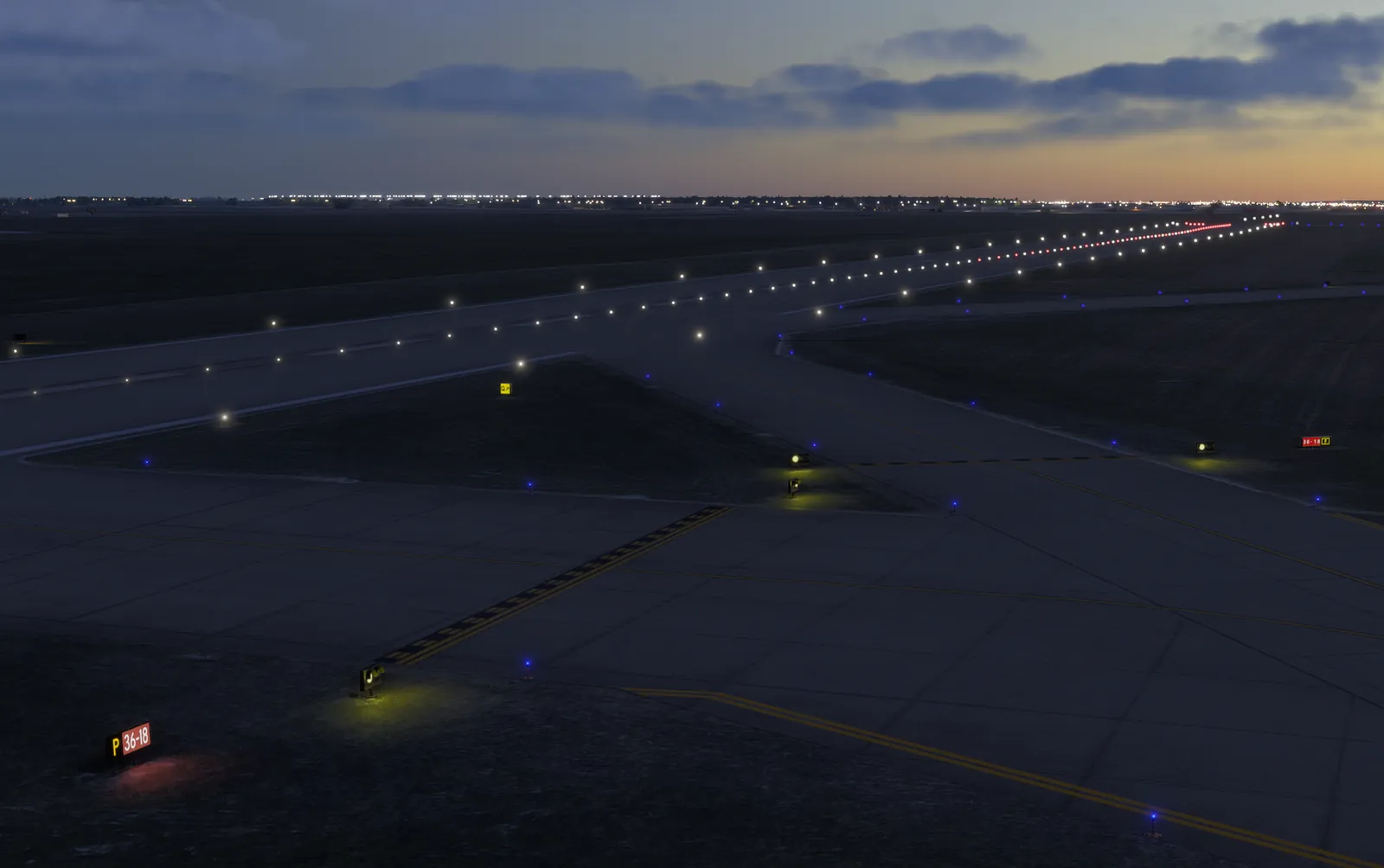
Taxiway and runway lighting at dusk
01 / Core

Microsoft Flight Simulator 2024

The simulation engine. Global terrain, live and preset weather, a full day and night cycle, vehicle physics, multi-screen and VR support, maintained and updated by Microsoft and Asobo. AVOPSIM does not rebuild any of this, which is where the cost saving comes from.

  • Photorealistic world outside the airport boundary
  • Live or preset weather: rain, snow, fog, wind, visibility
  • Day and night cycle, any season
  • Licensed separately, Standard Edition
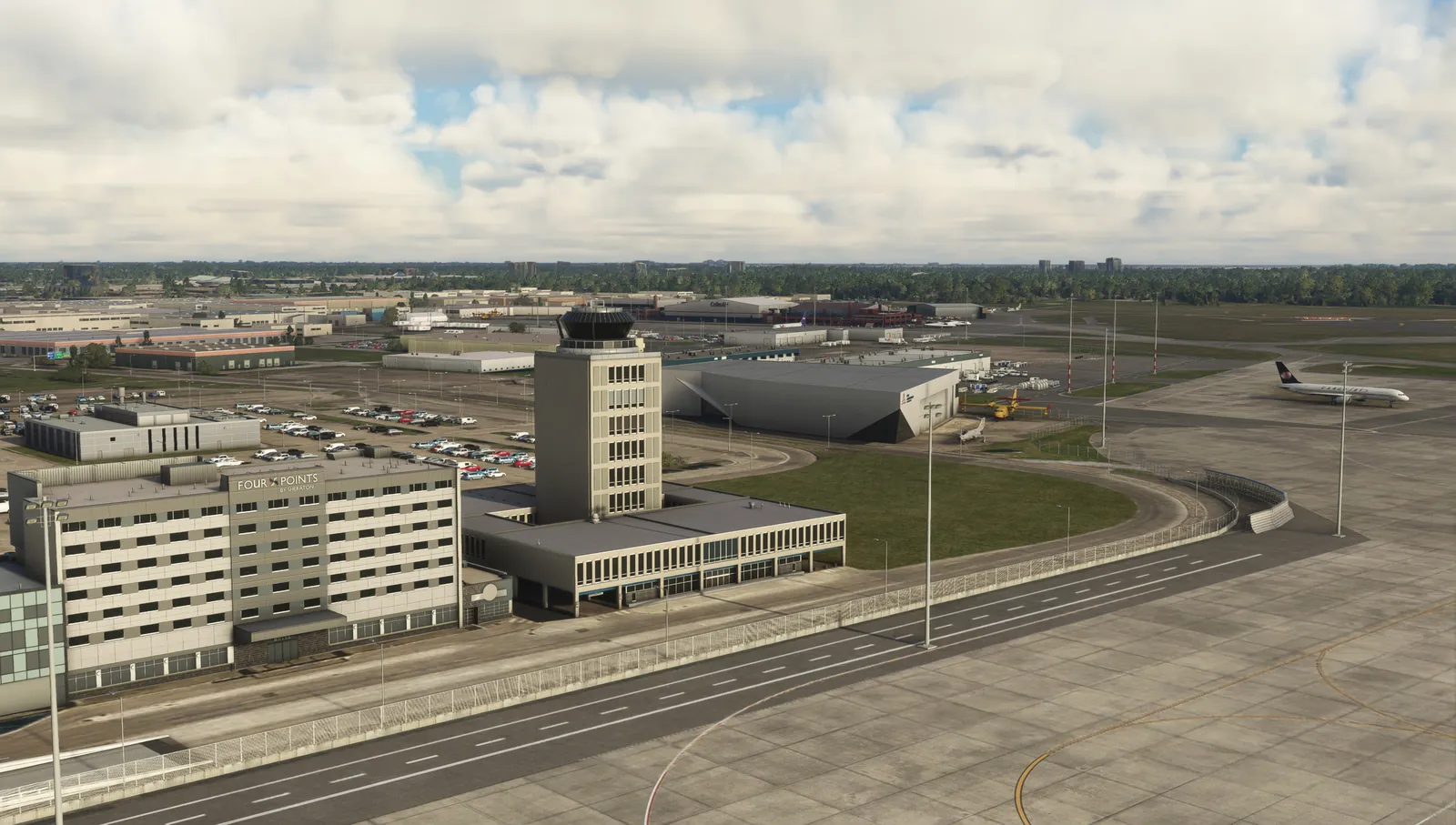
Winnipeg control tower and terminal on the digital twin
02 / Scenery

The airport digital twin

Your airfield reproduced 1:1 from operational drawings and survey data and loaded into the engine as scenery: runways, taxiways, aprons, service roads, buildings and terrain, with signage, markings and lighting placed as on the live airfield.

  • Signs, markings, hold points and hotspots
  • Centerline and edge lights, stop bars, guard lights, apron floods
  • Terminal, hangars, fire station and landmarks
  • Updated when the airport layout changes
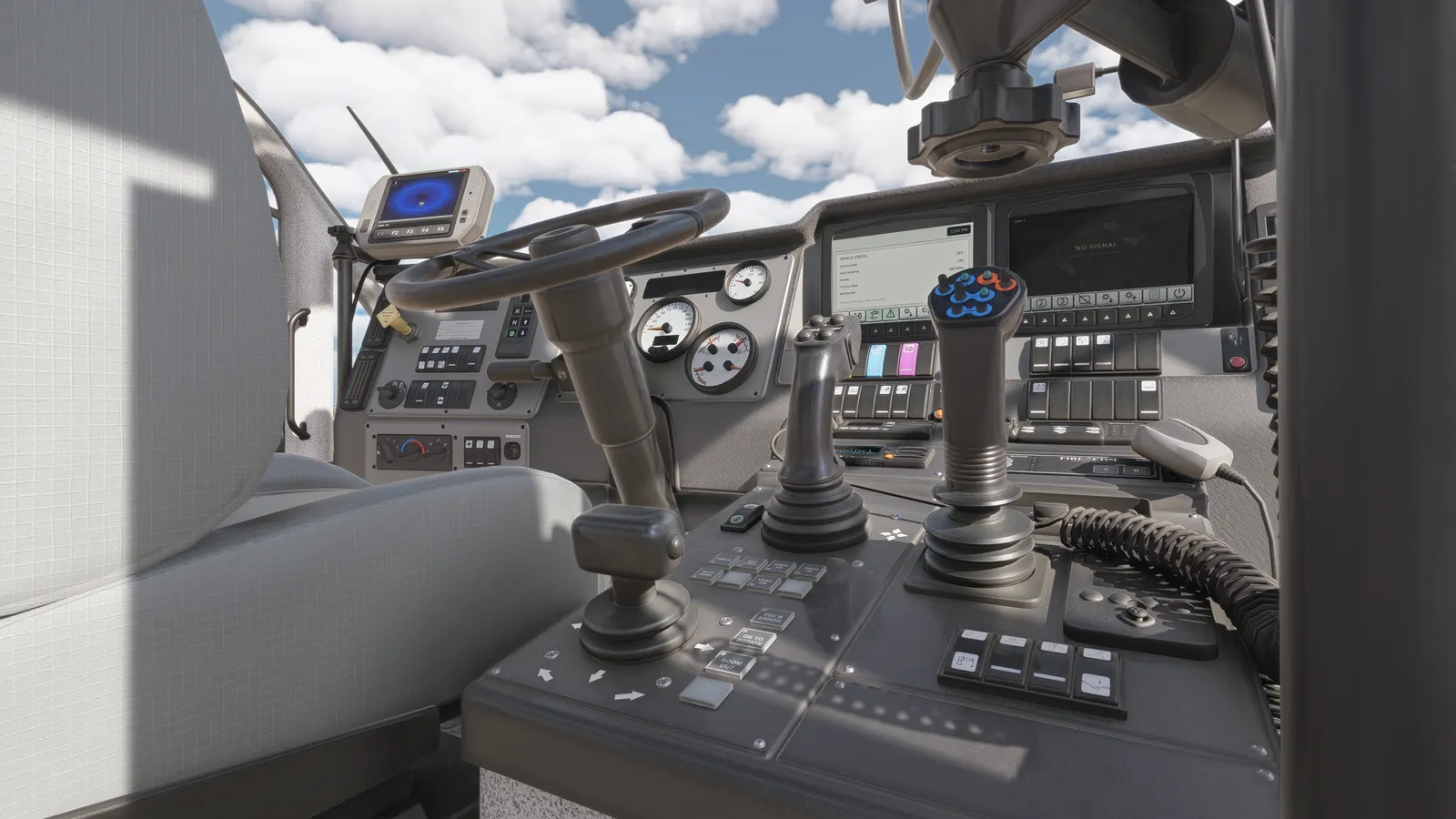
Modeled ARFF cabin
03 / Vehicles

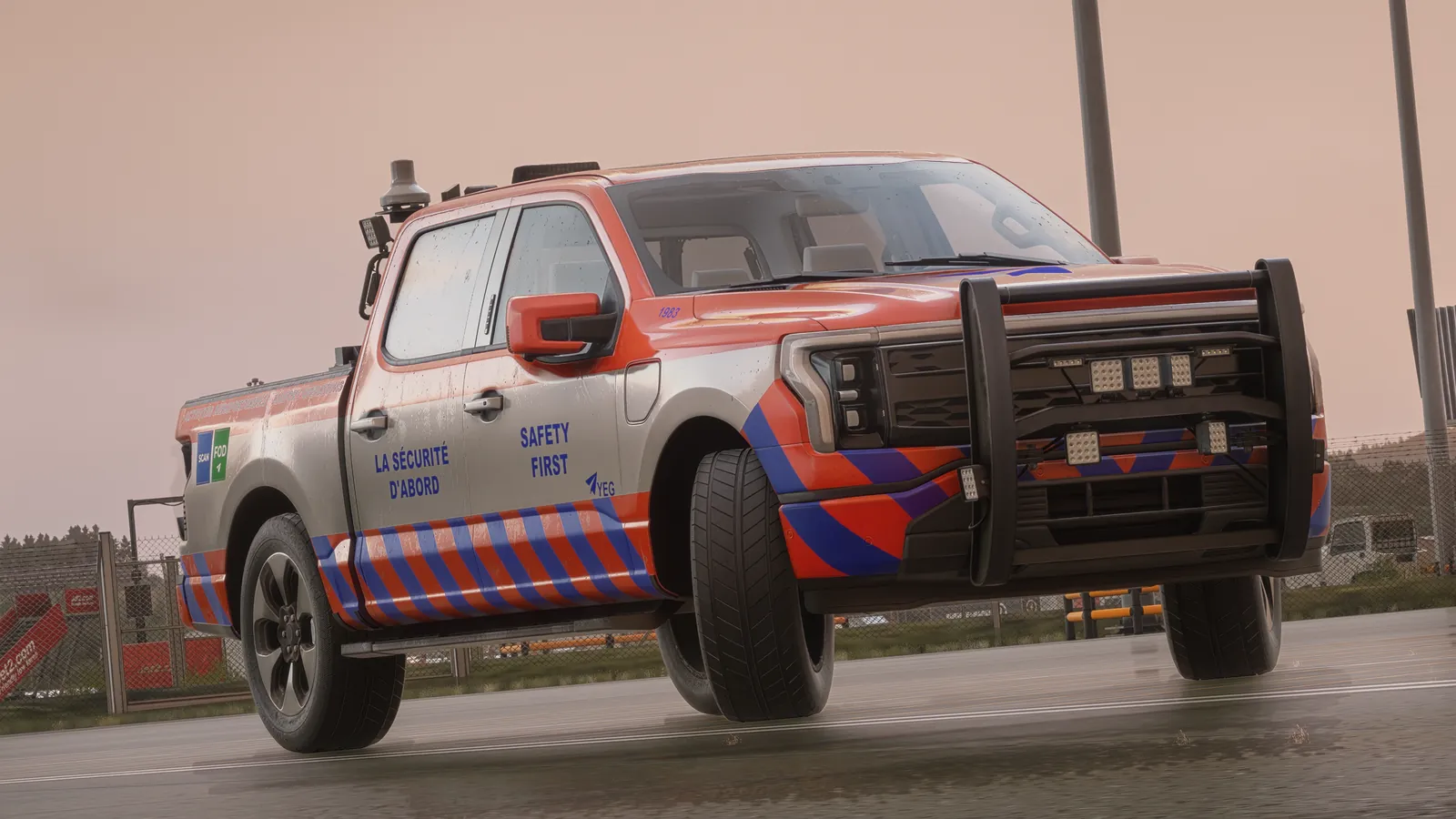
Your fleet, modeled per unit

Drivable vehicles matched to the airport fleet in its own livery: dimensions, acceleration, braking, steering and traction, a modeled cabin with working instrumentation, and the specialist functions each unit performs.

  • Operations pickups, ARFF, winter units, GSE, boarding bridges
  • Cabin instrumentation and controls
  • Plow, broom, blower, belt, tow, turret and boom functions
  • Any vehicle added, from USD 2,000 per unit
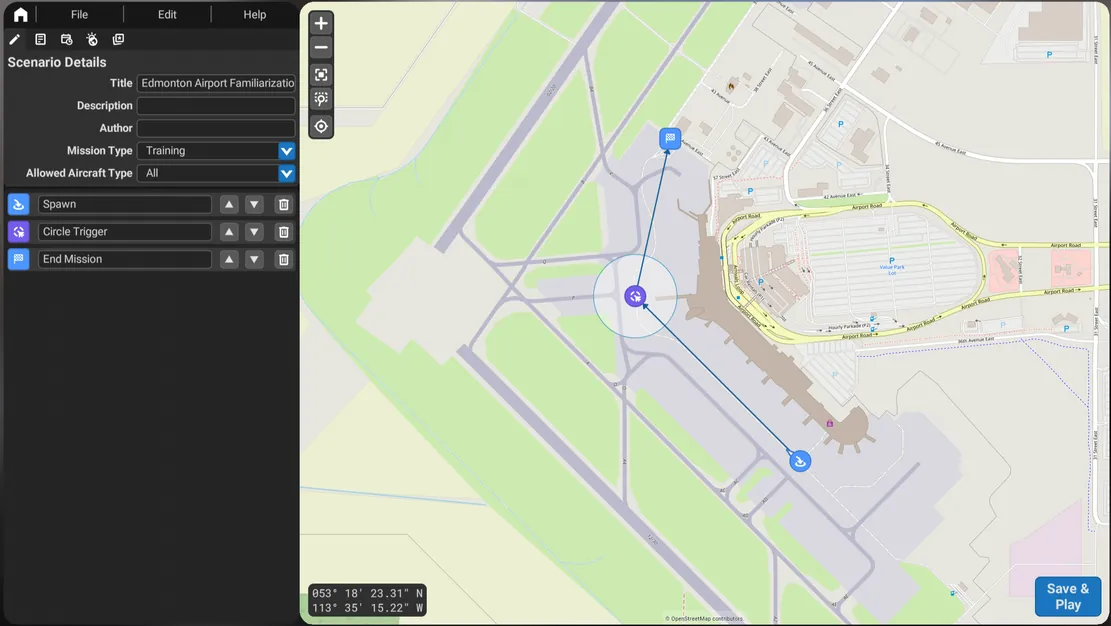
Mission Editor with the airport map
04 / Mission module

Missions, Mission Editor and Examiner Console

The training layer. Scored missions built on your routes and procedures, an editor for instructors to author new scenarios on the airport map, and a web console to launch, monitor and assess several stations at once.

  • Missions delivered in blocks of 20, extended by your instructors
  • Moving aircraft and vehicle traffic, triggers and conflicts
  • Pass and fail constraints, violations and timings logged
  • Examiner Console: one instructor, several stations, records kept
Hardware

Three configurations.

Choose the configuration that matches the space, the budget and the fidelity each program needs. Mix configurations across one airport and add stations at any time. All of it is off-the-shelf hardware we specify and supply turn-key.

Operations pickup on the apron
Tier 1

Desk station

Portable familiarization for classrooms, briefing rooms and self-study. The full software on a laptop with a game controller.

Computer
Gaming-class laptop or desktop with a dedicated GPU
Controls
Xbox-style game controller
Display
Laptop screen or one monitor
Audio
Headset with microphone for the radio program
Use
Route familiarization, theory support, repetition between instructor sessions
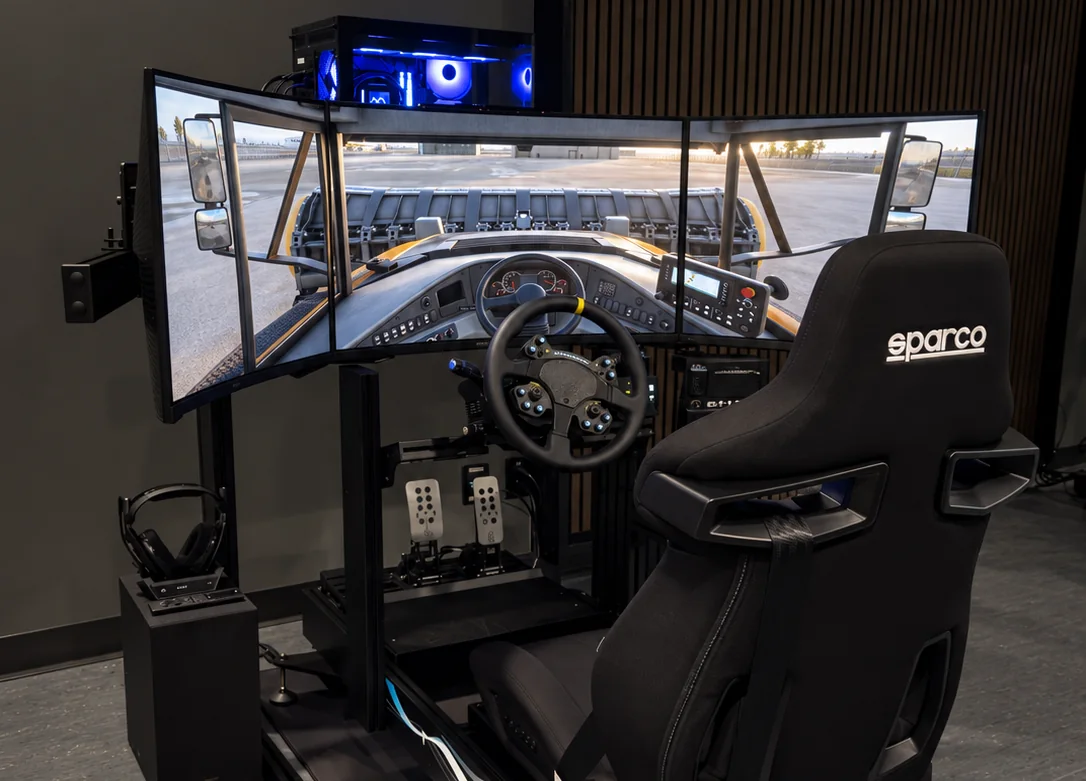
AVOPSIM driving station
Tier 2

Driving station

The standard AVOP training station and the configuration installed at Edmonton. A dedicated PC, a force-feedback wheel, pedals and shifter on a rigid frame, with one to three screens or VR.

Computer
Dedicated PC. Ryzen 7 9700X3D and RTX 4080 recommended, 64 GB RAM, SSD
Controls
Logitech G920 wheel and pedals, or Thrustmaster T128 with shifter
Display
One large screen minimum, three curved screens recommended, VR supported
Seat and frame
Rigid cockpit frame with racing seat
Use
Initial and recurrent driver training, ARFF, winter and GSE programs
ARFF cabin controls
Tier 3

Full vehicle cabin

A cabin mock-up or a real cab fitted with the controls of the vehicle being trained, driven by the same software. Built to the vehicle and the program.

Computer
Dedicated PC as Tier 2, or one per screen for wraparound displays
Controls
Vehicle-specific: plow levers, turret joysticks, boom and basket console, bridge console
Display
Wraparound screens or projection matched to the cab windows
Cabin
Mock-up or decommissioned cab, instrumented
Use
Specialist programs and dedicated training facilities
Requirements

Station requirements.

Minimums and recommendations for a Tier 2 driving station. We confirm the final specification for your setup during scoping.

ProcessorAMD Ryzen 7 2700X or Intel i7-10700K minimum. Ryzen 7 9700X3D recommended.
GraphicsNVIDIA RTX 2080 with 8 GB minimum. RTX 4080 with 12 GB or more recommended.
Memory and storage32 GB RAM minimum, 64 GB recommended. SSD with 100 GB available.
DisplaysOne large high-resolution screen. Three screens recommended for situational awareness. VR supported.
ControlsLogitech G920 wheel and pedals, Thrustmaster T128 with shifter, or a game controller for desk stations.
NetworkInternet connection of 50 Mbps minimum, 100 Mbps recommended, for world streaming.
SoftwareWindows 10 or 11. Microsoft Flight Simulator 2024 Standard Edition, licensed separately. AVOPSIM license.
Next step

See the platform in a live session.

Write to sales@avopsim.com and we will walk through the software layers and the station configurations on the Edmonton integration.